
Firefox setting:
Go to
Tools >> Options >> Content Tab
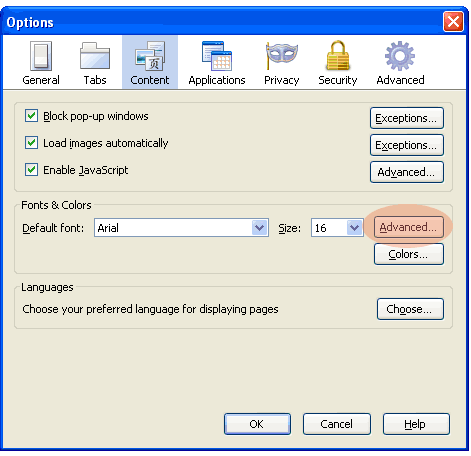
Click on Advanced
In Fonts for dropdown, select Bengali
In Proportional Select, Sans Serif and do the following and again select Serif and do the following:
Put Size as 16 or 17.
Serif, from dropdown select SolaimanLipi
Sans Serif — SolaimanLipi.
OK and OK
These selection assumes that SolaimanLipi is already installed.