1. 

1. Windows Complex script Install Procedure
2. 


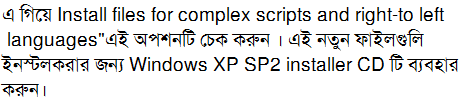
Windows XP:

Control Panel > Regional and Language Options> Language



SolaimanLipi Font: Download

Firefox setting:
Tools >> Options >> Content Tab
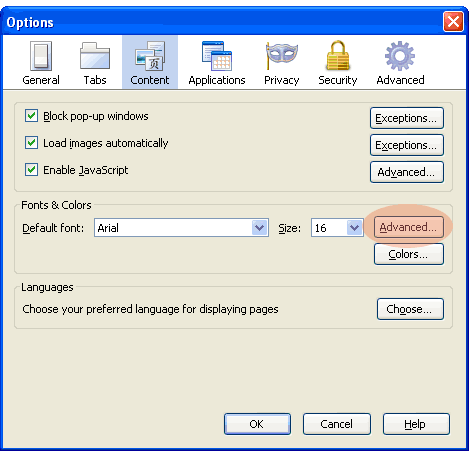
Click on Advanced
In Fonts for dropdown, select Bengali
In Proportional Select, Sans Serif and do the following and again select Serif and do the following:
Put Size as 16 or 17.
Serif, from dropdown select SolaimanLipi
Sans Serif — SolaimanLipi.
OK and OK
These selection assumes that SolaimanLipi is already installed.
Internet Explorer setting:
Tools >> Internet Options

Click Fonts >>

From Language Script dropdown select Bengali.
In Webpage font pane select SolaimanLipi.
In Plain text font pane select SolaimanLipi.
OK >> OK.